


 Integrated payments, online ordering & more







Every successful retailer or restaurant owner knows that a reliable Point of Sale (POS) system is the heart of their business. But does “reliable” have to mean “expensive”? Not anymore.
Today, many top providers offer free point of sale software or “freemium” plans that let small businesses access powerful tools with zero monthly fees. Others offer free hardware placement or risk-free demos of premium software. From free POS apps for tablets to comprehensive free POS systems for small business, the options are better than ever.
Recommended Free & Affordable POS systems
These are some of the most recommended cheap & free POS systems on the market:
The Truth About “Free” POS Systems
When searching for a free POS system, it’s important to understand what “free” actually means in this industry. Usually, the best offers fall into one of three categories:
- Free Software (No Monthly Fee): Providers like Square, GoDaddy, or Toast (Starter Kit) offer their point of sale software for $0/month. You get powerful features for free, and you only pay a transaction fee when you make a sale. This is ideal for startups.
- Free Hardware Placement: Some providers, like POSPros, may offer a free POS machine or terminal placement if you sign a contract for their payment processing services. This saves you thousands in upfront equipment costs.
- Risk-Free Demos & Trials: Premium enterprise solutions like NetSuite or Global Payments aren’t “freeware,” but they often offer comprehensive free demos or trials. This allows you to test advanced, high-end features without spending a penny upfront to see if they are worth the investment.
How Does a Point of Sale System Work?
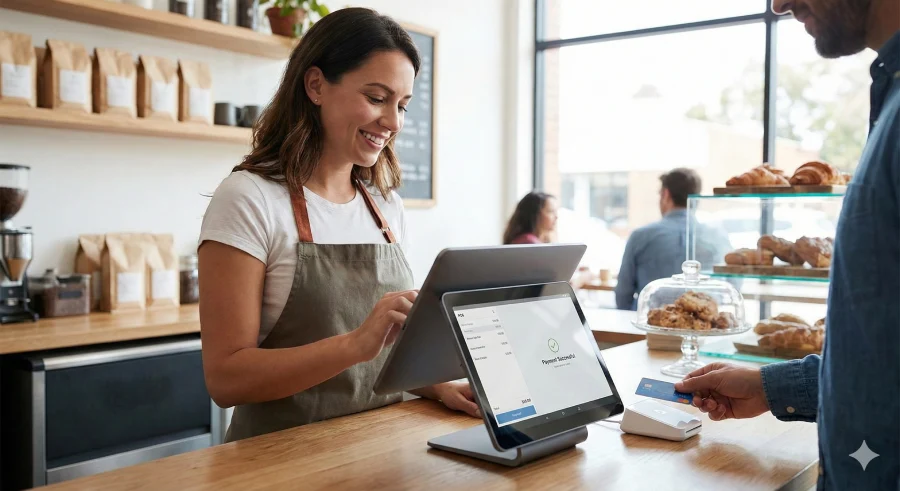
For most businesses out there, a POS system consists of two components: point of sale software and hardware. While some types of small organizations, mainly those that sell services, may be perfectly fine with only the software component, hardware does a lot of the heavy lifting. Many POS providers also offer solutions that allow you to purchase hardware as well.
Software Components and Deployment
The software component of a POS system is commonly available in two ways: on-premise and on the cloud. Both types have advantages and disadvantages and it’s crucial to figure those out for your case to make the most out of your POS.
On-premise POS
On-premise point of sale systems operate very quickly and do not rely on an internet connection. They are great for storing both personal and customer-related data and keeping it safe from the outside world. On the downside, you’re in charge of upgrading and maintaining the point of sale software, as well as the security of data, which will require dedicated IT personnel. Also, you won’t be able to access information when outside of the office via the internet, due to no cloud storage. This type of POS system is primarily suitable for large, brick-and-mortar organizations like retail shops.
Cloud-based POS
Cloud-based POS can generally be purchased from a SaaS (Software-as-a-Service) vendor. The tool is accessed by the internet, anytime, anywhere, via multiple devices. While different vendors offer different sets of features and benefits, close to all of them take care of system updates, IT security, and maintenance. The downside is that all your operations rely heavily on a steady, fast internet connection. Also, cloud-based POS will always be slower to process tasks and payments compared to on-premise POS. This can be important for businesses that highly value the speed aspect, like bars or nightclubs. It’s also important to consider partnerships between POS software vendors and payment processors/gateways that you need. If the point of sale software cannot process payments, all the added functionality quickly becomes redundant.
Essential Features to Look for in POS Software
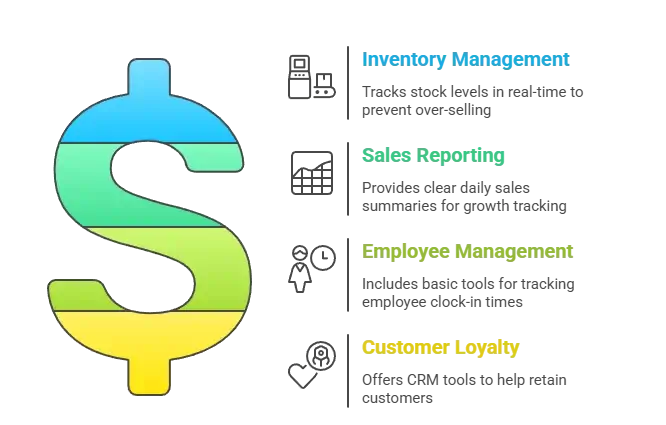
Whether you choose a freeware POS system or a premium trial, you shouldn’t sacrifice functionality. The best systems should always include:
- Inventory Management: Your point of sale system must track stock levels in real-time to prevent over-selling.
- Sales Reporting: Look for software that provides clear daily sales summaries so you can track your growth.
- Employee Management: Can you track clock-in times? Basic employee tools are often included even in free POS systems.
- Customer Loyalty: Some free plans, like those from Rezku or Square, include CRM tools to help you retain customers.
Hardware Components: Do I Need to Buy Them?
While you can find free point of sale software, hardware is rarely 100% free without a processing contract. However, many modern systems run on devices you already own.
- Tablets & Smartphones: Many free POS apps run on iPads or Android tablets, saving you the cost of buying a proprietary screen.
- Card Readers: You can often get a small, mobile card reader for a very low cost (or free with signup) to pair with your free POS system.
 Our top picks for September 2026
 9.9
9.9

 Restaurants & food trucks
Choosing the Right POS for Your Industry
When browsing POS vendors, you’ll find that most of them have narrowed their offerings to specific business types. This is important because different businesses require different features. Here are the benefits that POS systems bring to different organizations:
Restaurant POS
For food service, a free POS system needs to handle menu management and table mapping. Toast offers a competitive “Pay-as-you-Go” starter kit that gives restaurants top-tier hardware and software with no monthly subscription costs.
Retail POS
Retailers need strong inventory tools. Square is famous for its robust free retail POS features, allowing you to manage thousands of SKUs and track low stock alerts without paying a monthly software fee. If you are a large retailer, a free demo from NetSuite might reveal advanced ERP features that smaller free tools lack.
Service Business POS
Salons and consultants often need appointment booking. Look for free point of sale software that integrates a booking calendar directly into the checkout process, like GoDaddy or Square.
Conclusion: Final Verdict
inding the best free POS system is about balancing cost with capability. For many small businesses, “freemium” software from brands like Square or Toast offers the perfect starting point. For larger enterprises, taking advantage of a free demo from NetSuite or Global Payments ensures you invest in the right tool. Whichever path you choose, starting with low upfront costs is the smartest way to grow.
Our top picks for September 2026
